How ABDM Scan & Share Cuts Hospital Queue Times at Registration
25 November 2026 · Nanostack HMS Team
ABDMABHAOPDHospital Management
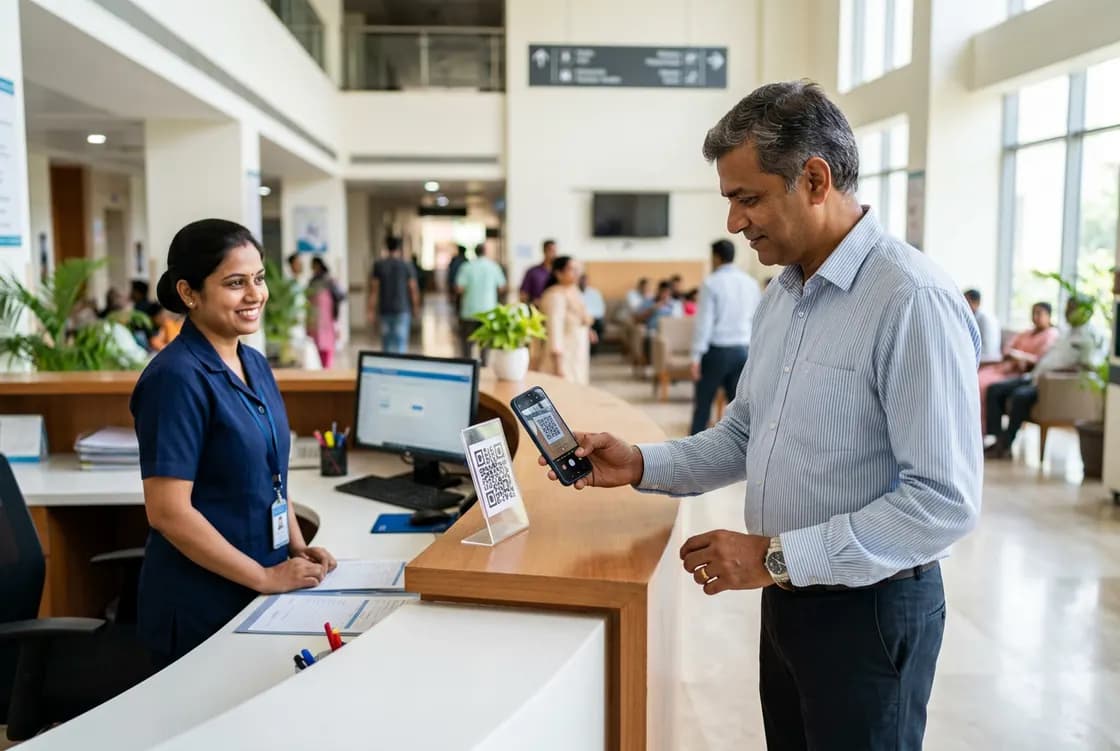
Morning rush hours at hospital registration desks often lead to long queues, crowded waiting areas, and stressed front-desk staff. Patients who are already unwell find standing in line exhausting, while staff struggle to record demographics, contact details, and emergency contacts accurately under time pressure. Manual entry also inevitably leads to misspelled names, duplicate records, and wrong contact numbers.
Ayushman Bharat Digital Mission (ABDM) introduces a simple, digital solution to this daily bottleneck: Scan & Share. By enabling patients to share their demographic details digitally using a QR code, hospitals and polyclinics can complete patient registration in seconds rather than minutes.
Understanding ABDM Scan & Share
Scan & Share is an ABDM feature designed to streamline OPD registration. Hospitals display a unique ABDM QR code at the entrance, reception counter, or waiting area. When patients arrive, they use an ABDM-enabled health app on their mobile phones to scan the QR code and authorize sharing their profile details with the facility.
Once the patient approves, their basic information—such as name, ABHA number, age, gender, address, and mobile number—is instantly pushed to the hospital management system. The registration receptionist simply verifies the incoming token and confirms the visit, completely bypassing manual typing.
Key Benefits of Scan & Share for Hospitals and Clinics
1. Zero Manual Data Entry and Fewer Errors
Typing patient names from physical ID cards often results in typos and formatting inconsistencies. With Scan & Share, patient demographics flow directly from their verified ABHA profile into the registration screen. This eliminates spelling mistakes, prevents duplicate patient profiles, and ensures accurate records across visits.
2. Drastically Reduced Wait Times
Traditional registration takes two to three minutes per patient, even with fast receptionists. With Scan & Share, token generation and file creation take less than 15 seconds. Faster registration prevents crowding in the lobby and improves the overall patient experience right from the start.
3. Smooth Integration with OPD Queues
When integrated with your hospital software, Scan & Share automatically places the patient into the correct doctor's OPD token queue. Front-desk staff do not need to switch between screens or manually issue printed tokens, keeping the workflow seamless.
4. Better Health Data Continuity
Because the visit is linked to the patient's ABHA number from the moment of registration, doctors can easily seek consent to view past health records. It also simplifies linking current e-prescriptions, lab reports, and discharge summaries back to the patient's ABHA profile after the visit.
Step-by-Step Scan & Share Workflow at Reception
Implementing Scan & Share requires clear signage and a straightforward process for both patients and reception staff:
- Displaying the QR Code: Place prominent stands with your facility's ABDM QR code near the main entrance, enquiry counters, and OPD waiting rooms.
- Patient Scans the Code: Patients scan the code using the ABHA app, Aarogya Setu, or any compatible health application.
- Demographic Transfer: The app prompts the patient to share their profile with your facility for OPD registration.
- Instant Verification: The reception counter receives an instant alert on their hospital software screen showing the incoming patient details.
- Token Generation: The receptionist selects the consulting doctor, collects the OPD fee if applicable, and prints or sends the queue token to the patient's phone.
For walk-in patients who do not have an ABHA profile yet, reception staff can quickly assist them in creating one or proceed with traditional registration.
Operational Considerations for Hospital Management
While Scan & Share simplifies registration, hospital administrators should ensure staff are trained to guide patients who may be using digital health apps for the first time. Having a dedicated staff member or volunteer near the QR posters during peak morning hours can help first-time visitors scan the code smoothly.
It is also essential to use software that integrates ABDM features directly into daily workflows without needing separate portals. Solutions like Nanostack HMS combine ABHA creation, Scan & Share registration, OPD token management, and consent-based record sharing into a single unified system. Because internet outages can occasionally happen, Nanostack HMS offers a desktop app that works offline and syncs data automatically when connectivity is restored, ensuring your registration desk never grinds to a halt.
By adopting digital workflows, small clinics and multi-specialty hospitals alike can reduce administrative burden, ensure data accuracy, and offer a modern, hassle-free registration experience.
Frequently asked questions
Does every patient need an ABHA card to use Scan & Share?
Yes, patients need an active ABHA profile and a supported app on their mobile phone to scan the hospital's QR code. For patients without smartphones or ABHA accounts, staff can quickly register them manually or create an ABHA on the spot.
What happens if the hospital internet connection drops during peak hours?
If your registration system relies solely on cloud servers, an internet disruption can pause digital check-ins. Modern software with offline capabilities allows your team to continue issuing tokens and managing OPD queues locally without losing data.
Is patient consent required for Scan & Share?
Yes, the patient explicitly approves sharing their basic profile details with the hospital when they tap confirm on their app after scanning the QR code.
Ready to eliminate registration lines and modernize your hospital workflows? Explore Nanostack HMS features or book a demo with our team today.